How to reset your gate control board after a power surge
A surge can scramble a control board's memory without killing it outright. Reset in the manual's order, check limits and safety sensors, and watch for signs of board damage.
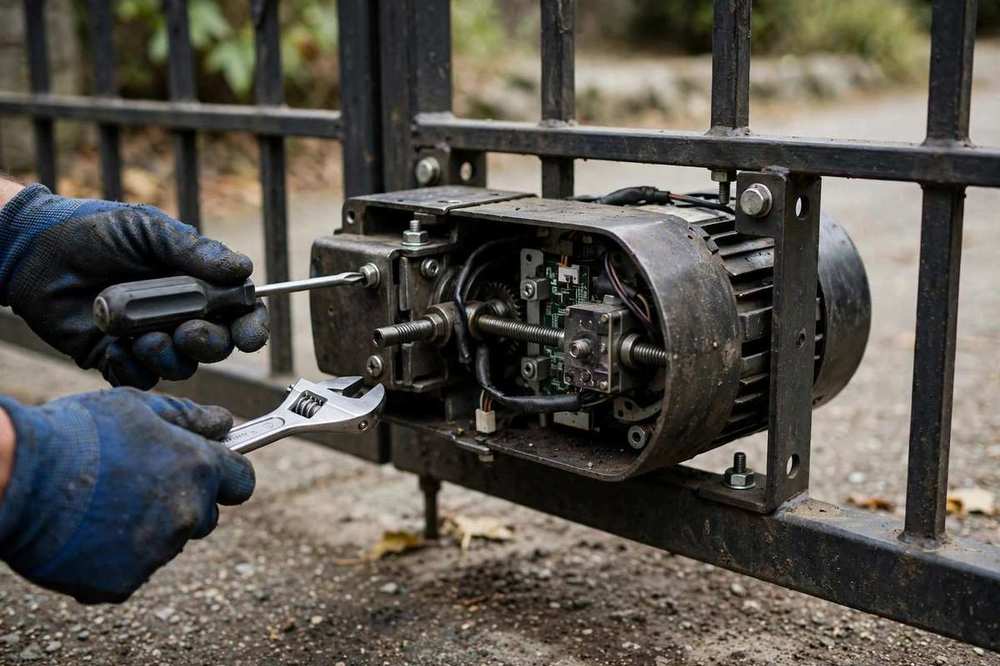
After a storm or a utility outage, a gate that was fine yesterday may be dead, may open but not close, or may stop halfway and reverse. Often the board has lost its travel limits or its stored codes, or a fuse or relay has failed. A careful reset, done in the order your operator manual gives, restores some of these gates. It will not repair a board with burnt components, and it must never be used as a reason to bypass safety sensors.
Before you reset anything
First, make the gate safe: keep people, pets, and vehicles clear of its travel, and if the gate is stuck open or off its track, do not cycle it repeatedly. Check the breaker, the operator's power light, and whether the battery backup is holding a charge. Look, without touching live parts, for a burnt smell, discoloured components, or a visibly blown fuse on the board. If you find any of those, stop: that board needs hands-on diagnosis, not another reset. Surge damage often arrives with other symptoms, such as a dead remote or keypad, because the surge reaches everything on the same supply.
The reset sequence, in general terms
Follow your manual, not a generic video. Reset steps, button combinations, and limit-setting procedures differ between brands such as LiftMaster, DoorKing, FAAC, and Viking, and the wrong sequence can erase working remotes and codes.
Power-cycle cleanly. Switch the operator off, wait as the manual directs, and restore power. Note whether the board lights return and whether the operator beeps or flashes a fault code.
Re-teach travel limits. If the gate has lost its open and closed positions, set them exactly as the manual describes, with the gate clear and supervised throughout.
Test safety protection. After any reset, confirm the photo eyes, safety edges, and reversal all work before returning the gate to normal use. A gate that runs but does not reverse on obstruction is not fixed.
Re-pair remotes and keypads if needed. Codes lost in a surge may need to be re-entered, and a remote that will not stay paired points to receiver or board damage.
If the board will not hold its limits, keeps losing codes, shows a fault code that returns after a reset, or has any burnt component, it needs replacement. Our gate control board repair page covers board diagnosis and replacement, and gate remote repair covers re-pairing remotes afterwards. Surge protection for the operator supply is worth asking about once the gate is running again, since Concord storm outages tend to repeat.
If the checks above do not fix it, or if anything looks bent, cracked, or unsafe, stop and call Grand Gate Repair of Concord Company at +1 925-265-8944. We are open 8:00 AM–8:00 PM daily, Monday through Sunday, at 2727 Clayton Rd, Concord, CA 94519. Tell us what the gate is doing and what opener it has, and we will talk through the next step for gate control board repair in Concord.
Sources and further reading
General references for the local rules, codes, and safety standards mentioned above.